Digi Connect IT 16/48
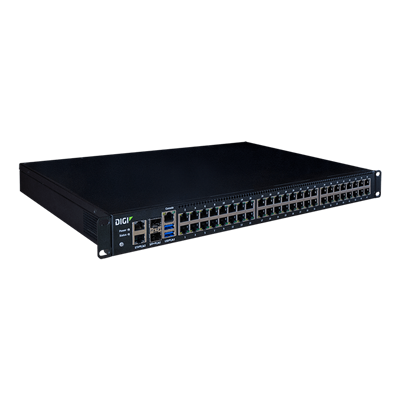
Connect IT 16/48

The highly redundant design of Connect® IT 16/48 with dual Ethernet, dual SFP+ and dual power (field replaceable) provides a robust and resilient solution for demanding IT infrastructure management applications. Flexible power supply kits offer the ability to deploy the product into hot or cold aisles.

How To Videos

How to configure a Digi Router as a RADIUS client. Also how to install and configure FreeRADIUS

How to access the Linux Shell on a Digi router running Digi Accelerated Linux

Replace HTTPS Self-Signed Certificates in the DAL Operating System

How to configure an IKEv1 IPsec with PSK authentication between routers

Configure firewall filter rules on a Digi Accelerated Linux Router

How to configure Port Forwarding rules on a Digi router running Digi Accelerated Linux

Using TCP/SSH to RS232 Serial on a Digi Accelerated Linux Router

How to configure a Digi Accelerated Linux (DAL) router as an L2TP/IPsec VPN server

How to configure 802.1Q VLAN trunking on a Digi Accelerated Linux (DAL) router

Learn How to Configure a DAL Router for PPP Over Serial

How to Configure a DAL Router as an OpenVPN Server

Access To Support Expertise

Customer Portal Login

  • Warranty registration
  • Manage firmware subscriptions
  • Personalize your support library
  • Product Change Notices (PCN)

Customer Portal User's Guide