Digi EX50 5G
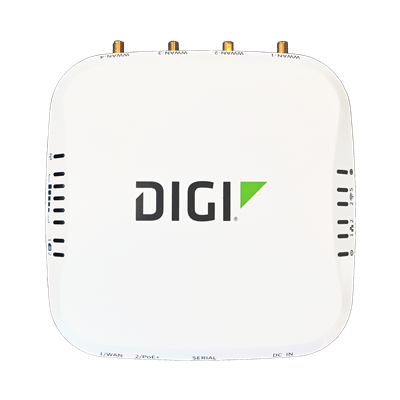
Business has forever changed with millions of employees working remotely. The Digi EX50 router with 5G/4G dual connectivity provides businesses with a secure, resilient and optimized enterprise-grade network that changes the work from anywhere experience for good. Its small form factor allows device placement where the work is happening.
Documentation
Firmware
Hardware Resources
Data Sheet
Knowledge Base
The Digi AI Assistant combines product-specific knowledge articles, documentation, and the latest AI technology to formulate the most in-depth and current answers to your product questions.
How To Videos
How to configure a Digi Router as a RADIUS client. Also how to install and configure FreeRADIUS
How to access the Linux Shell on a Digi router running Digi Accelerated Linux
Initial Configuration of a DAL Router and How to Configure W-WAN and LAN Interfaces
Replace HTTPS Self-Signed Certificates in the DAL Operating System
How to Configure a GRE Tunnel Between Routers
How to configure an IKEv1 IPsec with PSK authentication between routers
Configure IP Passthrough on a Digi Accelerated Linux IX or TX Router using Digi Remote Manager
Digi IX, EX and TX DAL Cellular Router DNS Settings Explained
Tutorial on the Erase Button on a Digi Router or Cellular Extender Running Digi Accelerated Linux
Configure firewall filter rules on a Digi Accelerated Linux Router
Configure IP Passthrough on a Digi Accelerated Linux IX or TX Router
How to configure Port Forwarding rules on a Digi router running Digi Accelerated Linux
Using TCP/SSH to RS232 Serial on a Digi Accelerated Linux Router
How to create a Wireguard VPN between two routers running DAL
How to configure a Digi Accelerated Linux (DAL) router as an L2TP/IPsec VPN server
How to configure 802.1Q VLAN trunking on a Digi Accelerated Linux (DAL) router
Learn How to Configure a DAL Router for PPP Over Serial
How to enable WAN side management on a Digi Accelerated Linux (DAL) router
How to Configure a DAL Router as an OpenVPN Server