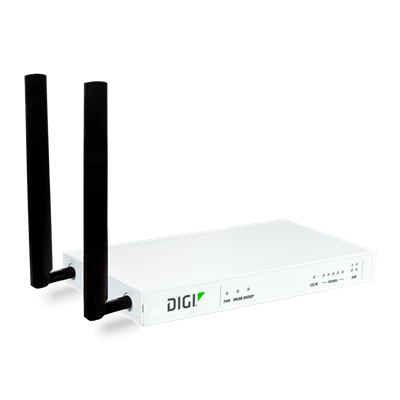
Digi Connect IT 4

Connect IT 4

The Digi Connect® IT 4 remote console access server ensures continuous network uptime to all your remote locations by functioning as an always-on cellular out-of-band (OOB) gateway for branch offices, retail stores, kiosks and other sites, even when the primary network is down.

Note: The Digi AI Assistant combines product-specific knowledge articles, documentation, and the latest AI technology to formulate the most in-depth and current answers to your product questions.

Documentation

Knowledge Base

The Digi AI Assistant combines product-specific knowledge articles, documentation, and the latest AI technology to formulate the most in-depth and current answers to your product questions.

How To Videos

How to configure a Digi Router as a RADIUS client. Also how to install and configure FreeRADIUS

How to access the Linux Shell on a Digi router running Digi Accelerated Linux

Replace HTTPS Self-Signed Certificates in the DAL Operating System

How to configure an IKEv1 IPsec with PSK authentication between routers

Configure firewall filter rules on a Digi Accelerated Linux Router

Configure IP Passthrough on a Digi Accelerated Linux IX or TX Router

How to configure Port Forwarding rules on a Digi router running Digi Accelerated Linux

Using TCP/SSH to RS232 Serial on a Digi Accelerated Linux Router

How to configure a Digi Accelerated Linux (DAL) router as an L2TP/IPsec VPN server

How to configure 802.1Q VLAN trunking on a Digi Accelerated Linux (DAL) router

Learn How to Configure a DAL Router for PPP Over Serial

How to enable WAN side management on a Digi Accelerated Linux (DAL) router

How to Configure a DAL Router as an OpenVPN Server

Connect IT 4 Firmware

The firmware for the Connect IT 4 family of products has moved to Digi Remote Manager. Please click the VIEW link below to login.

The Digi Connect IT 4's firmware can be updated remotely via Digi Remote Manager, or users can download the firmware via Digi Remote Manager and update the device locally. See this link for User Guide instructions on updating device firmware.

If you do not currently have a Digi Remote Manager account, please check this Knowledge Base article for details on how to obtain one.

If you would like to be notified of new firmware releases from Digi Remote Manager, please check this Knowledge Base article for details.

Connect IT 4 Firmware

link 9/3/2025

previous

Access To Support Expertise

Customer Portal Login

  • Warranty registration
  • Manage firmware subscriptions
  • Personalize your support library
  • Product Change Notices (PCN)

Customer Portal User's Guide